Below you will find the instructions for the SimClient plug-in.
|
Information The SimClient plug-in requires a specific back end infrastructure. If you are interested, please contact us. The following help describes the main functions of the plug-in. |

Contents
Latin Hypercube Sampling Crossed
Data Mining and Visual Analytics
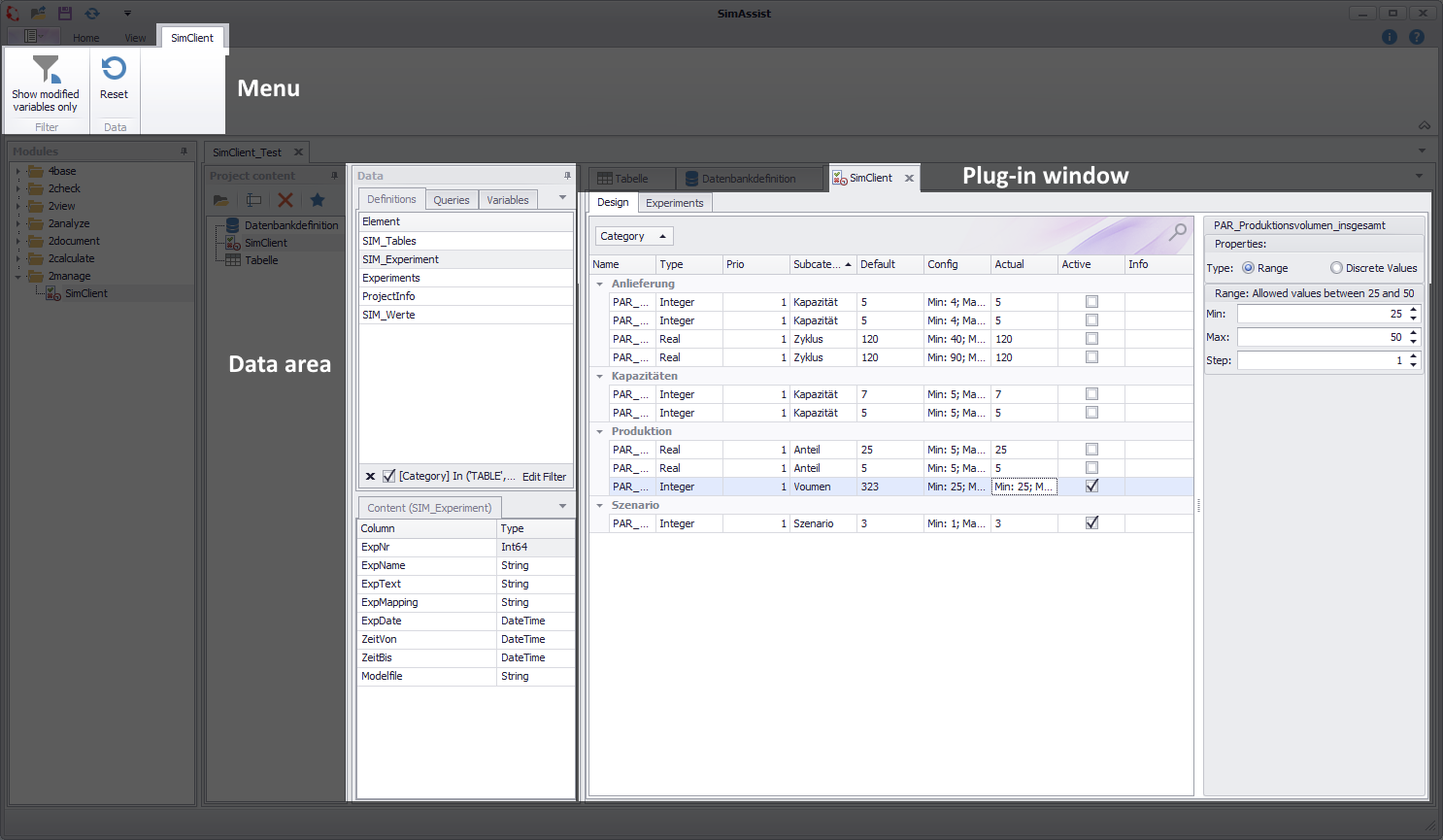
Figure 1 - Interface and structure
The structure of the plug-in is divided into three parts: Menu, Data Area and Plug-in Window. The individual areas are briefly explained below.
Menu:
Here, depending on the selected tab, settings and actions can be executed.
An overview of the respective buttons, as well as an explanation of how they work, can be found in the respective sub chapter Design and Experiments.
Data area:
All data that has been connected to SimAssist via the database definition plug-in is displayed here. Data can be attached from this area to the desired plug-in by Drag&Drop.
Plug-in window:
The actual work with the plug-in takes place in this area.
As soon as data from the connected database has been added to the plug-in, it is possible to start designing the experiment setup and then to perform the experiments.
For the SimClient plug-in, the following settings can be made:
Option |
Description |
Misc |
|
DebugPipeName |
Leave it empty or use this field only for debugging python scripts. Define a pipe name which is used to communicate with a python process. If a pipe name is defined the python process needs to be executed manually. |
LogPythoneOutput |
Activate to write python console messages into the SimAssist log file (default: false) |
Python |
|
Path to Python |
Full path to python.exe must be entered here |
© SimPlan AG - Hanau District Court, Commercial Register (Part B) 6845 - info@simplan.de - www.simplan.de/en