With the help of the chart type Globe3d weighted connections between two targets are displayed on a three-dimensional globe.
|
Information: For this function, the so-called hardware acceleration must be available and activated in the operating system. |

Contents
By means of Globe3d Chart connections between different data sets can be recognized fast, more exactly a visualization of the connections between data sets takes place.
The width of the connections allows conclusions to be drawn about the weighting of the respective connection.
Figure 1 shows a Globe3d chart generated by SimVis. Clearly visible are the different data sets between which connections exist.
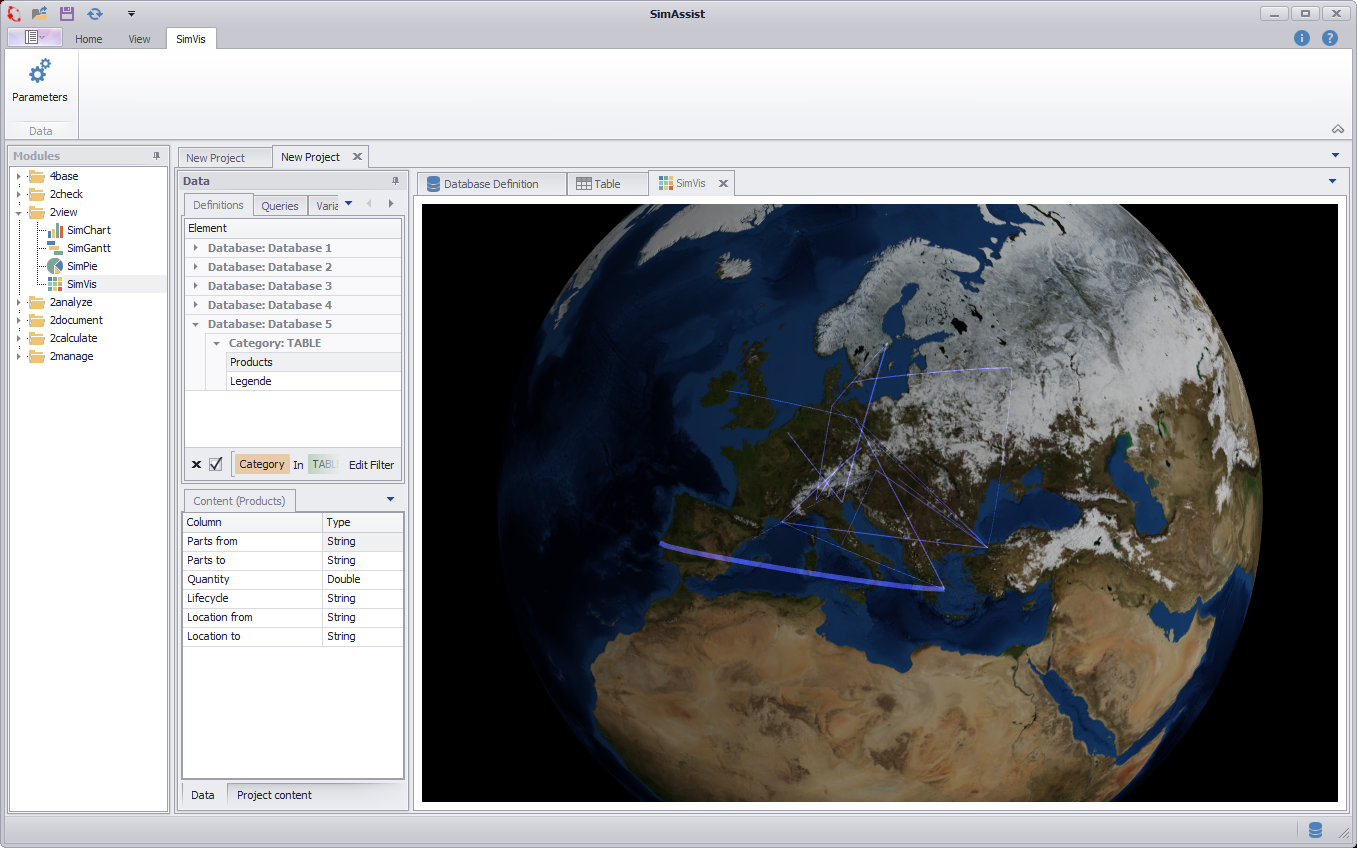
Figure 1 - Globe3d Overview
The important thing is how you distribute the individual columns of your data source to the different nodes - this directly influences the visualization. There are three different nodes available:
•Start: The Start area picks up the values from which connections originate.
•End: The End area indicates the values to which the connections lead.
•Value: The Value area is responsible for the weighting, ie. the numeric values of the column in the Wert area determine the dimension of the associated connection
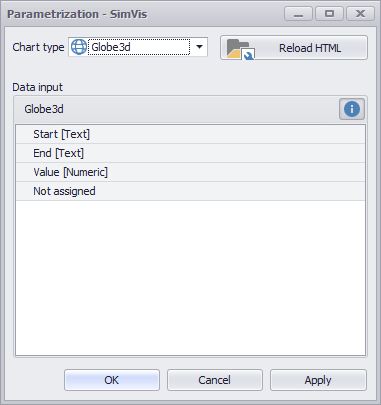
Figure 2 - Nodes Globe3d
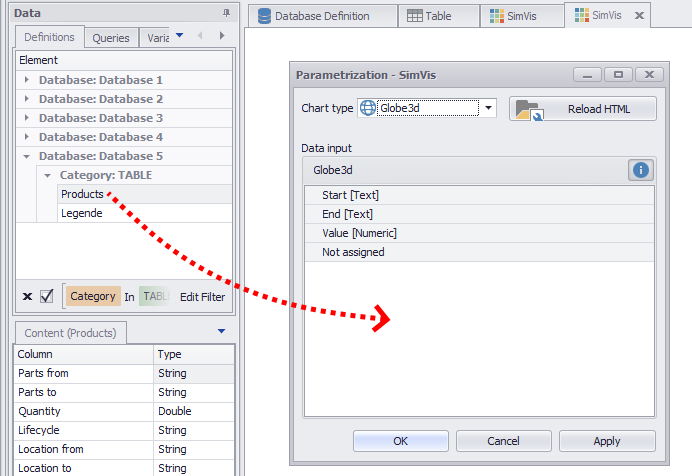
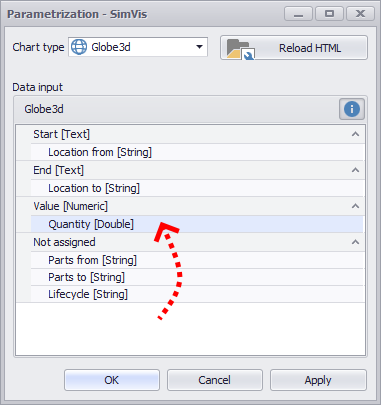
As soon as you have distributed the columns to the different nodes, you can create the diagram by clicking on OK or Apply.
Figure 3 - Adding data |
Figure 4 - Distribute columns |
The plugin uses an internal database to determine the longitude and latitude for each city. The plugin draws a connecting line on the globe between the start and the destination city.
The internal database used for the Globe3d chart is based on the Geonames database (license CC) of cities with more than 1000 inhabitants.
|
Information: If one of the cities (start or destination) is not found in the internal database, the connection will not be drawn. If there are several cities with the same name, the first city found will be used. |
The entries in the column for the nodes Start and Destination can usually be found in several languages. Listed below are languages through which the city Hanau can be found in the database:
•Chanaou
•Hanau
•Hanau am Main
•Khanau
•hanau
•hanaw
•hanw
•×Üíáïõ
•Õàíàó
•åÇäæ,åóÇäóæ,
•ハーナウ
© SimPlan AG - Hanau District Court, Commercial Register (Part B) 6845 - info@simplan.de - www.simplan.de/en