Since SimAssist version 6.0 it is possible (in the SimChart plug-in) to use a column, which was previously added as a data source to the plug-in, multiple times.
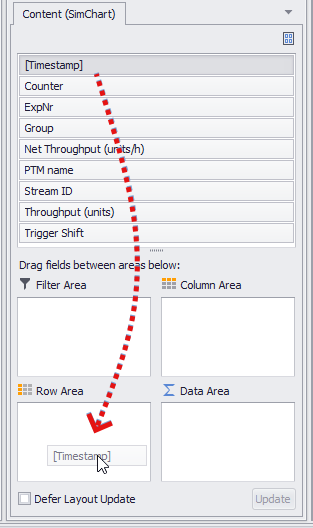
The desired column can be Drag&Dropped from the content area to the pivot fields as usual (see Figure 1-3).
Figure 1 - Column Distribution via Drag&Drop |
Figure 2 - Column Distribution by Drag&Drop |
Figure 3 - Column Distribution by Drag&Drop |

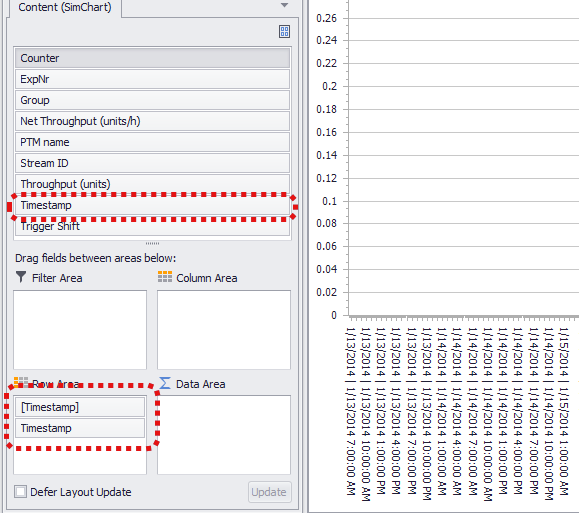
After the Drag&Drop process, the column is still available in the content area and can thus be used again for chart creation.
For example, a column of DateTime values can be dragged into the row area multiple times and the grouping function can be used to display both days and the respective hours of the day on the X-axis.
In Figure 4, the first timestamp column has been grouped by days, the second by hours. The active grouping can be recognized by the "[ ]" by the name of the column.
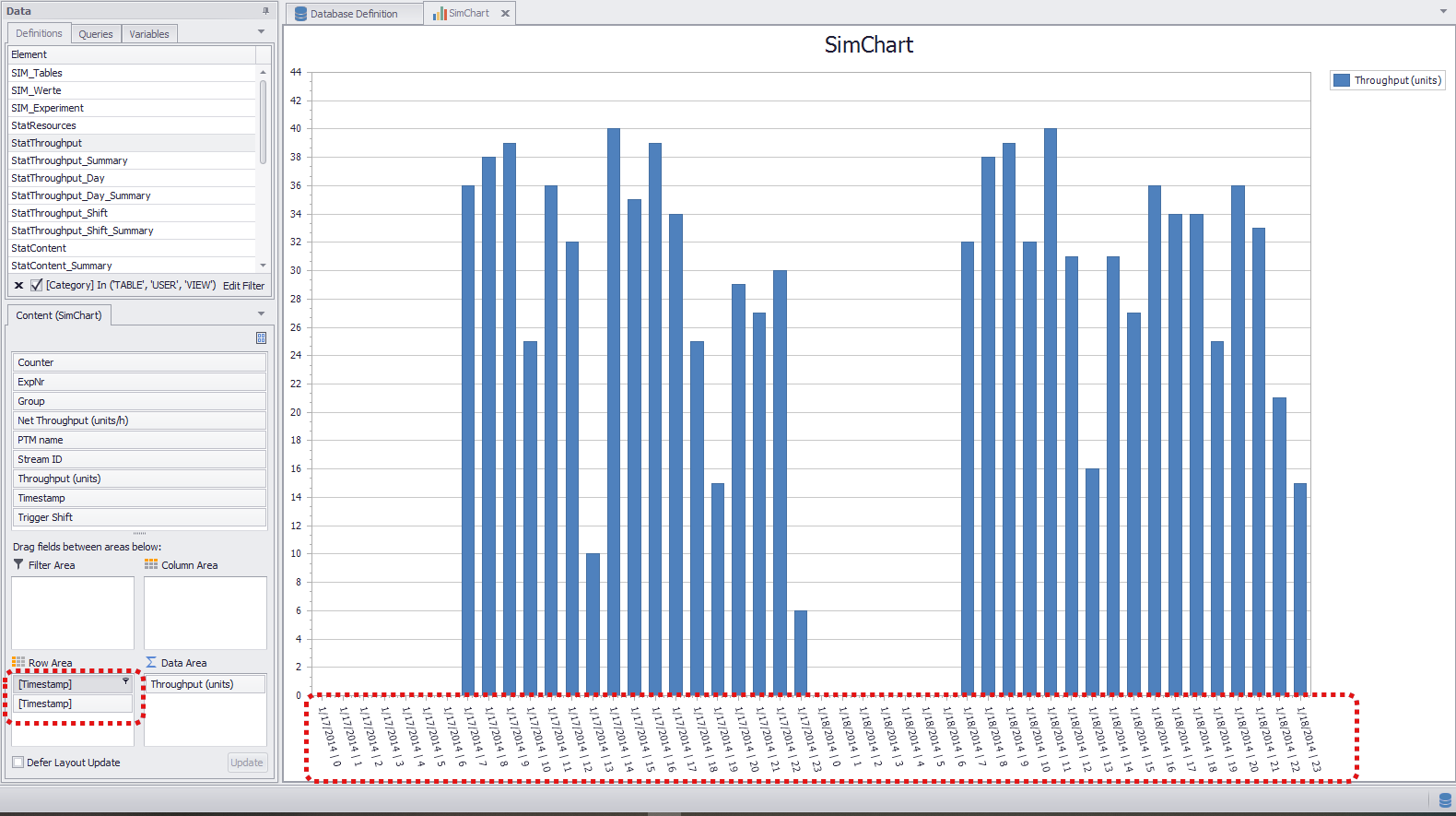
Figure 4 - Grouping by Day and Hour
© SimPlan AG - Hanau District Court, Commercial Register (Part B) 6845 - info@simplan.de - www.simplan.de/en