Clicking the Export Pivot button exports the current pivot table as screenshot. There are different possibilities shown in figure 1:
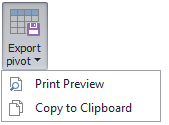
Figure 1 - Export Pivot
Print Preview opens a Print preview in which the Pivot Table can either be printed or exported in one of the following formats (see Figure 2).
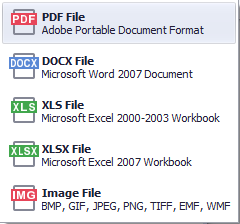
Figure 2 - Export formats
Export to clipboard copies a screenshot of the pivot table to the clipboard.
© SimPlan AG - Hanau District Court, Commercial Register (Part B) 6845 - info@simplan.de - www.simplan.de/en