Normally you will already receive a number of plug-ins with the SimAssist installer - depending on the license you have purchased.
However, you can also add further plug-ins to your SimAssist installation, if licensed. SimAssist offers a convenient way to install plug-ins or check for available updates for plug-ins.
Before you can use the automatic search for updates, you must specify a path in the options under Plug-ins - Updates - Source path where the new plug-in versions are located (see Figure 1).
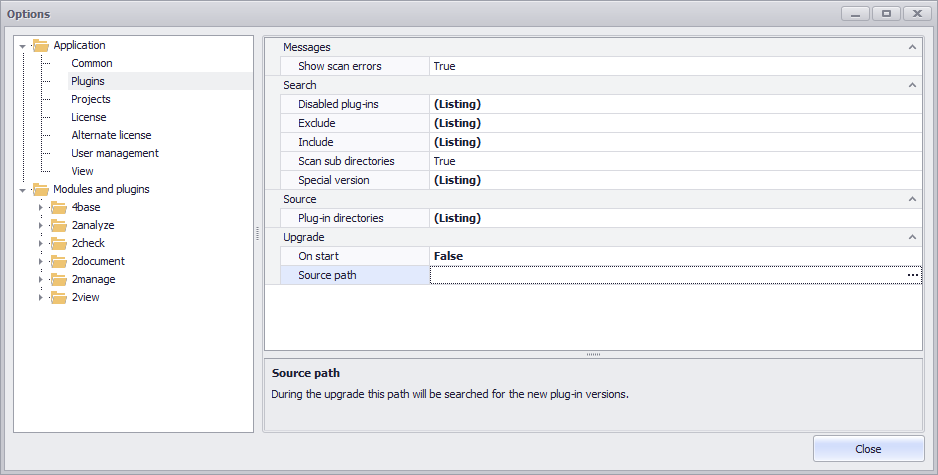
Figure 1 - Path for the plug-in update
After entering a source path for updating the plug-ins, the update dialog can be accessed in the main menu of the software via the Updates button (see Figure 2).

Figure 2 - Update button in the main menu
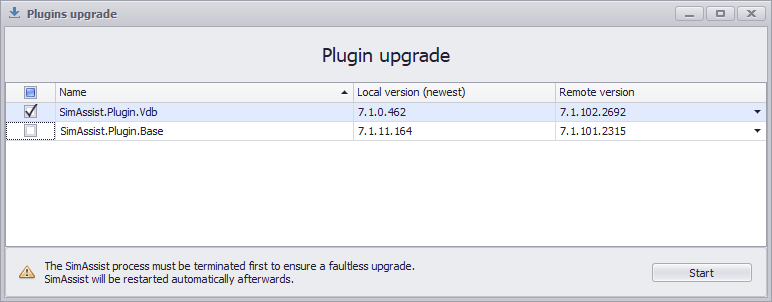
In the update dialog that opens, you can - if updates are available for plug-ins - start the update of the desired plug-in by selecting the corresponding update and clicking on Start.
If there is no version number in the Local version (the latest) column, this is a new plug-in that is ready for installation. Otherwise, this is a version update for an already installed plug-in.
To install a new plug-in, please check the box in front of the desired plug-in in the corresponding column and click on the Start button.
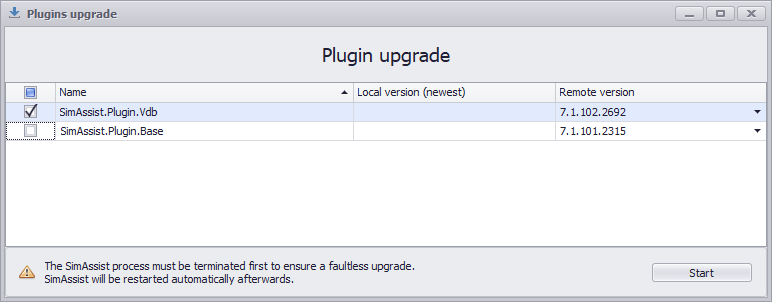
Figure 3a - Plug-in installation update dialog
Figure 3b - Update dialog Plug-in update |
Figure 3c - Existing folders |
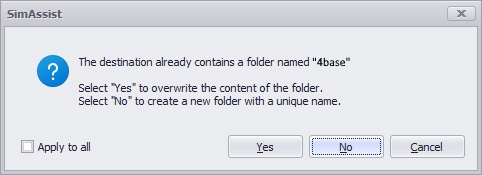
SimAssist now loads the new plug-in files or updates existing ones and then reports the successful update (see Figure 5).
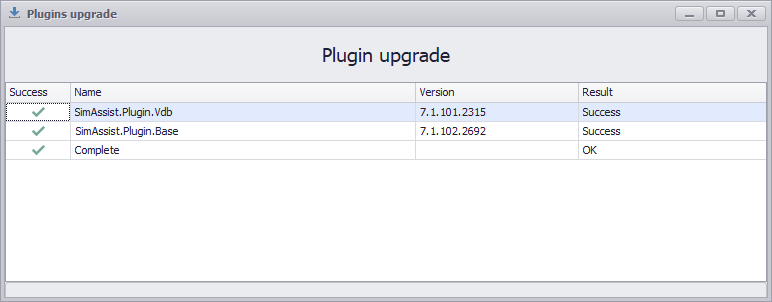
Figure 4 - Successful updates
Once the update is complete, you can close the wizard by clicking Close - SimAssist will then start automatically and the updated plug-in will now be available to you.
© SimPlan AG - Hanau District Court, Commercial Register (Part B) 6845 - info@simplan.de - www.simplan.de/en